
ORG.
Keep your business organized, one schedule at a time.
ORG. is a schedule making service to facilitate the schedule making process of business owners, managers, or whomever is has this responsibility in a business. This is the second project for my course, and the aim of this project was to teach us how to design for multiple screen sizes. It pushed my understanding of adaptability and really made me want to create a tool that would help the users; make their life easier, not harder.
Project Overview
Product
ORG. is a SaaS designed to facilitate the scheduling task for potential users.
Timeline
July 2023 - June 2024
My Role
I was the sole researcher and designer on this project. I conducted all the user research, interviews, competitive audits, created personas, journey maps, and storyboards, and ran usability tests. I also designed all wireframes, prototypes, and mockups.
The Problem
Creating schedules can be time-consuming, and many software solutions are difficult to learn or not accessible to all users.
The Goal
Design a user-friendly scheduling software that is accessible to everyone. It will help users stay organized, streamline the schedule creation process, and improve communication with employees about their availability.
Understanding the User
User Research
To understand the user needs, I conducted interviews with individuals responsible for creating schedules in their enterprises. From these interviews, I learned that 50% of the participants don’t use scheduling software because they find it hard to understand or inaccessible. Those who do use such software spend less time creating schedules and are more organized, though it took them a long time to become familiar with the software.
Most participants agreed that a software would help lighten the load of their responsibilities but only when the tool itself didn't make it harder for them.
Key Pain Points
User Friendliness : Many scheduling software solutions are not intuitive, discouraging people from using them and leading to errors in the schedules. Our goal is to ensure our product is foolproof.
Employee Availability : Ensuring schedules align with employee availability is a significant challenge. Miscommunications about time-off requests and changes in availability complicate the process. Our system will consolidate all this information to simplify scheduling.
Assistive Technology : Scheduling software must be accessible to all users, including those who rely on assistive technologies like voice commands and screen readers.
Language Barriers : Not all users are fluent in English. Navigating complex software in a non-native language is even more challenging. Our solution will offer language options and simple language interfaces.
Personas
Creating personas is crucial because it gives potential users a face and identity, helping me empathize with them. ORG. aims to be accessible to all users, so I incorporated specific accessibility features into each persona. For example, Trina uses a screen reader due to partial blindness, and Johnny needs a translation option as he doesn’t speak English. These personas help keep the user's needs in mind throughout the design process, ensuring the final product addresses their pain points effectively.
User Journey Mapping
Creating user journey maps for the personas was enlightening. It helped identify the issues users face and provided concrete ideas for the design. It also revealed when certain features were not as crucial as initially thought.
Competitive Audit
I feel that competitive audits are essential to understand what gaps need to be filled. I'm somewhat competitive myself (in a healthy way), so I always aim to accomplish what others are doing and improve on what they seem to have overlooked. Conducting this audit, I learned a lot about what is available to users, what is missing, and how I can design this flow to meet users' needs.
During this process, I quickly realized that some software solutions have a steep learning curve and are difficult to navigate. This often leads to scheduling mistakes and more work for the user.
This gap in the market highlighted clear opportunities:
Foolproof Design : Implementing AI to generate potential schedules that users can simply approve.
Unique Experience : Creating an engaging and fun user experience, avoiding the feeling of walking into a meeting.
Accessibility : Prioritizing accessibility as a fundamental aspect of the design, rather than an afterthought. It's surprising how many software solutions offer the bare minimum and neglect accessibility.
Audit Sheet
Design Process
Paper Wireframing
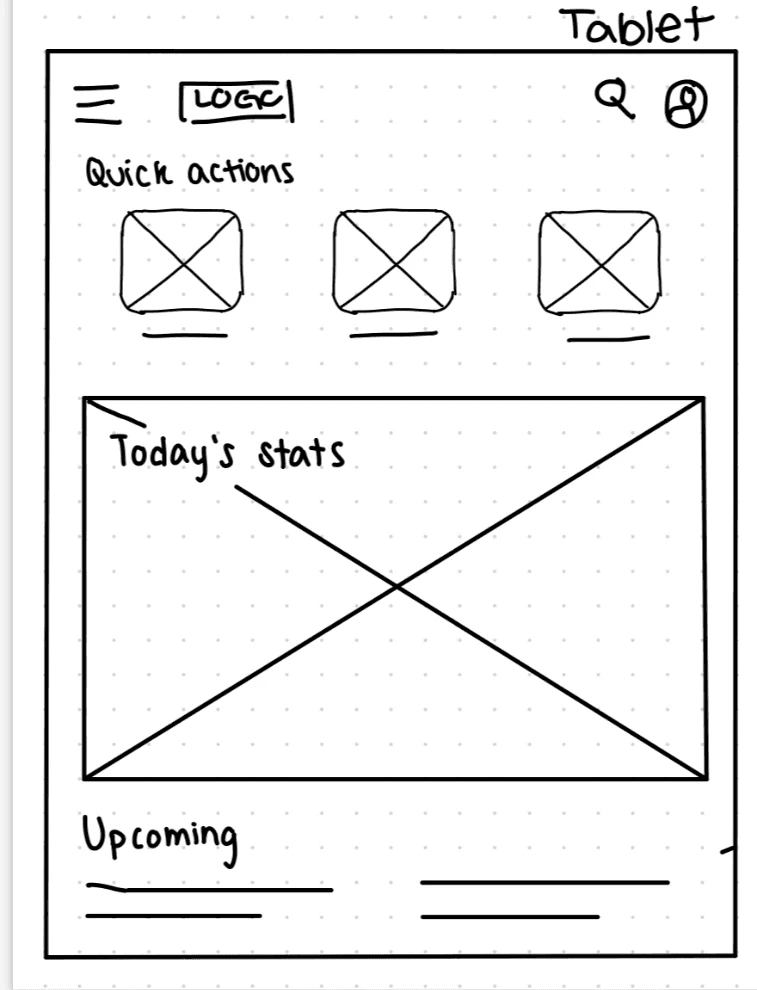
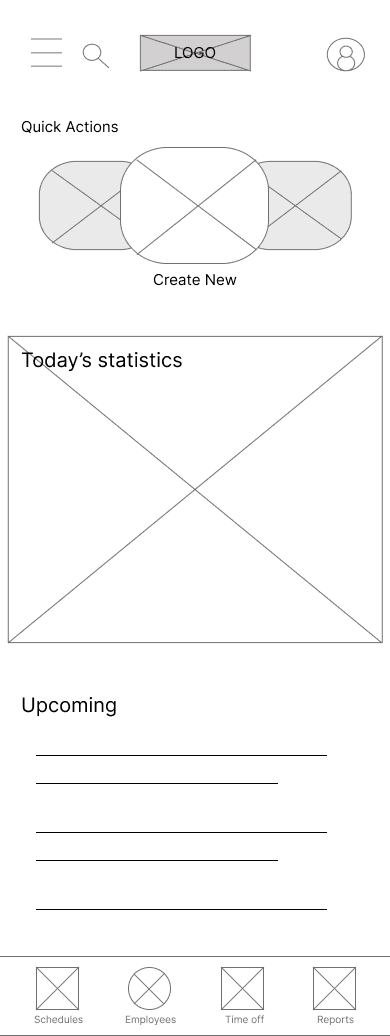
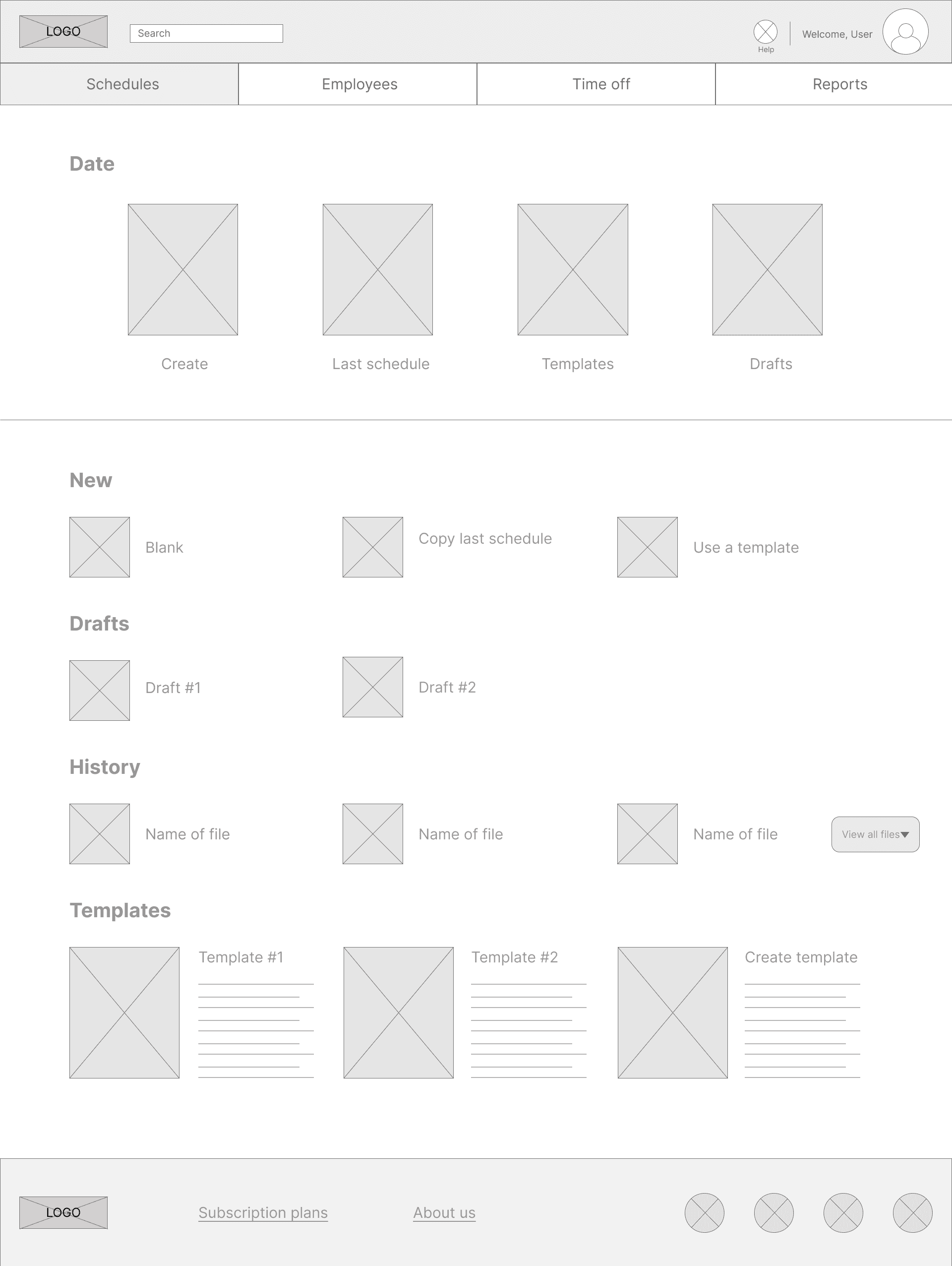
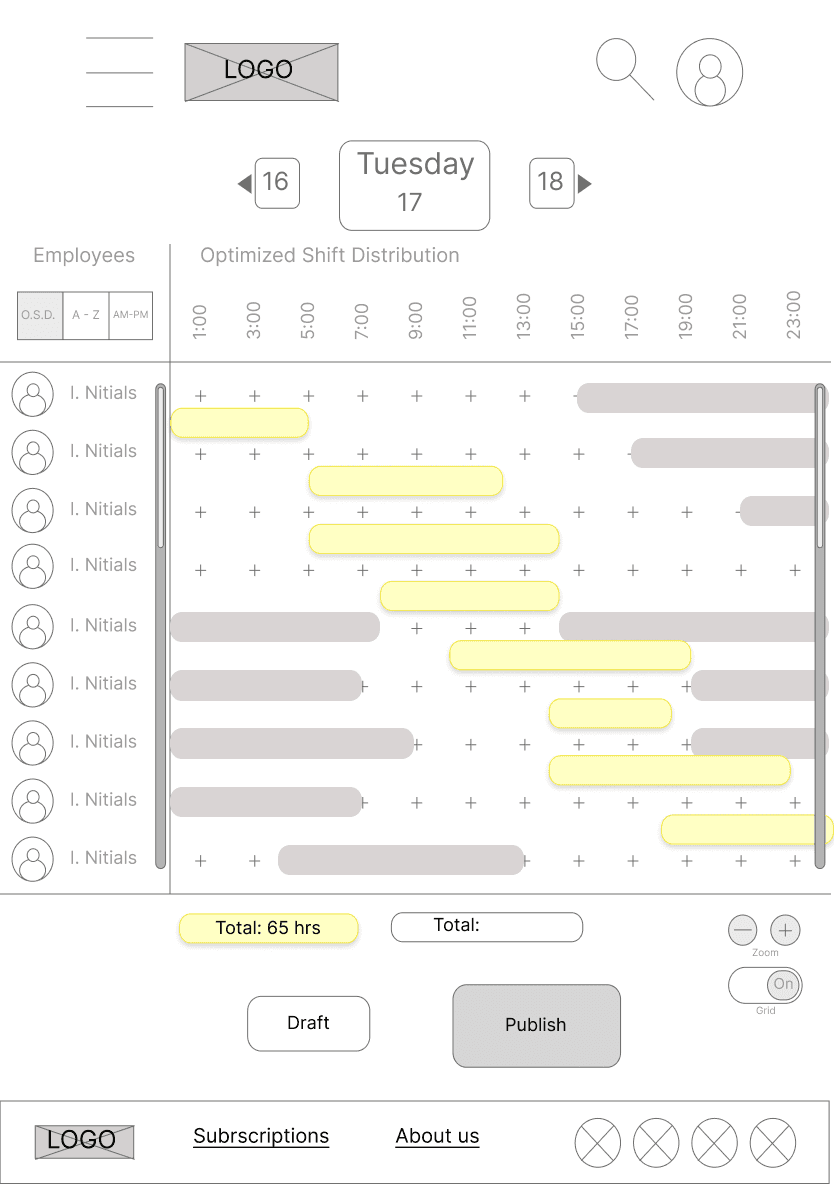
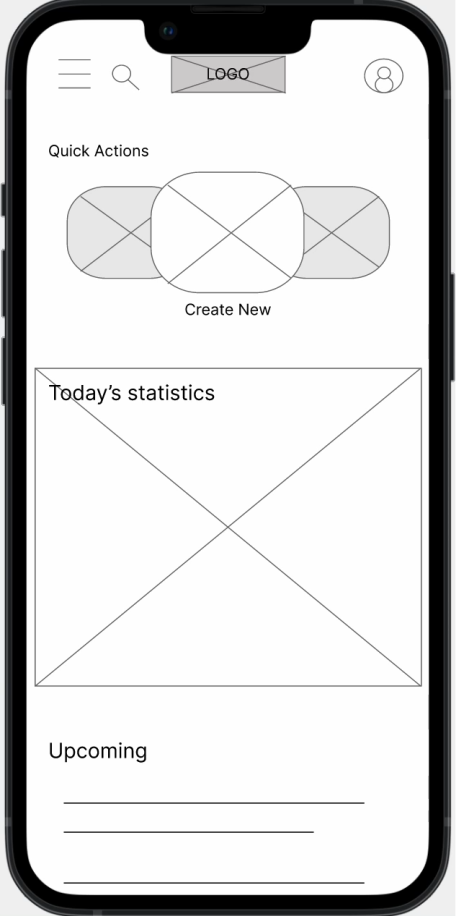
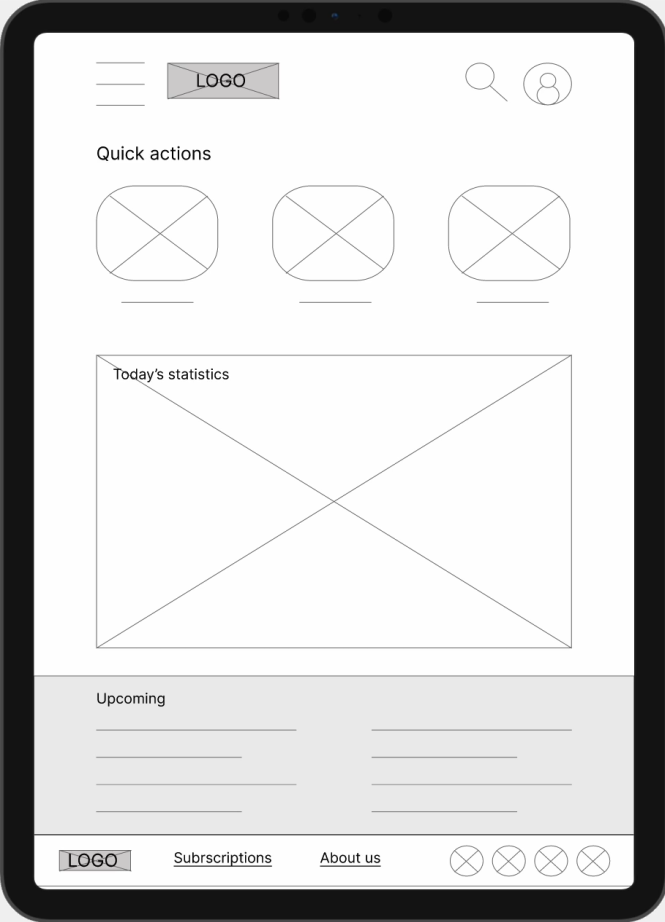
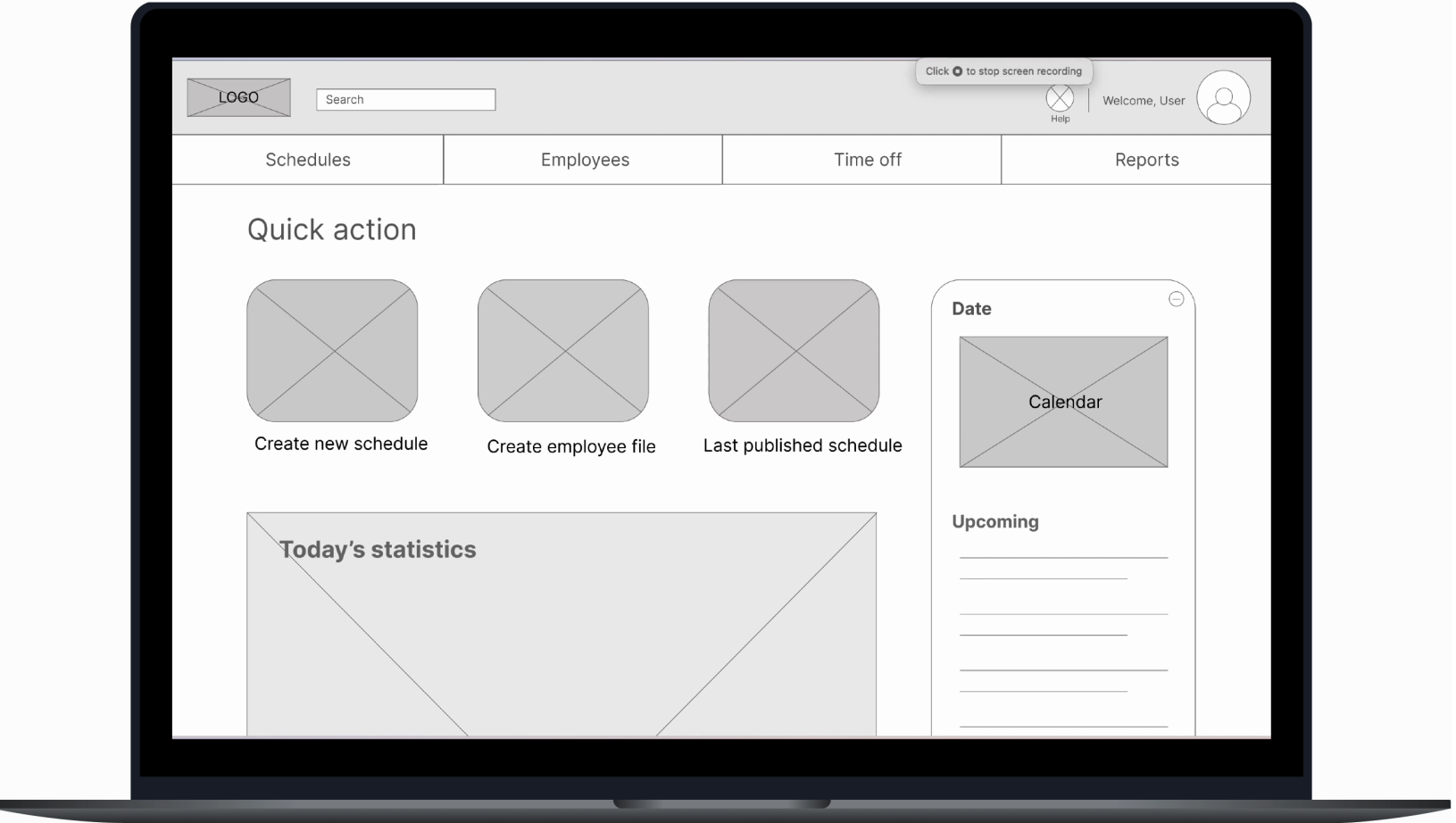
I created paper wireframes for mobile, tablet, and computer screens. My process involves drafting multiple versions of the main pages, selecting the best elements from each, and then creating a final version. This approach helps me think about the design without being hindered by the limitations of digital tools.
Low-fidelity Prototypes
Even without visuals, a good product should feel intuitive. Building the low-fidelity prototype was a chance to test the logic of user flows and navigation, stripped of distractions.
Usability Study #1
These are the major findings of the first usability study for this project.
75%
Refining the Design
Mockups
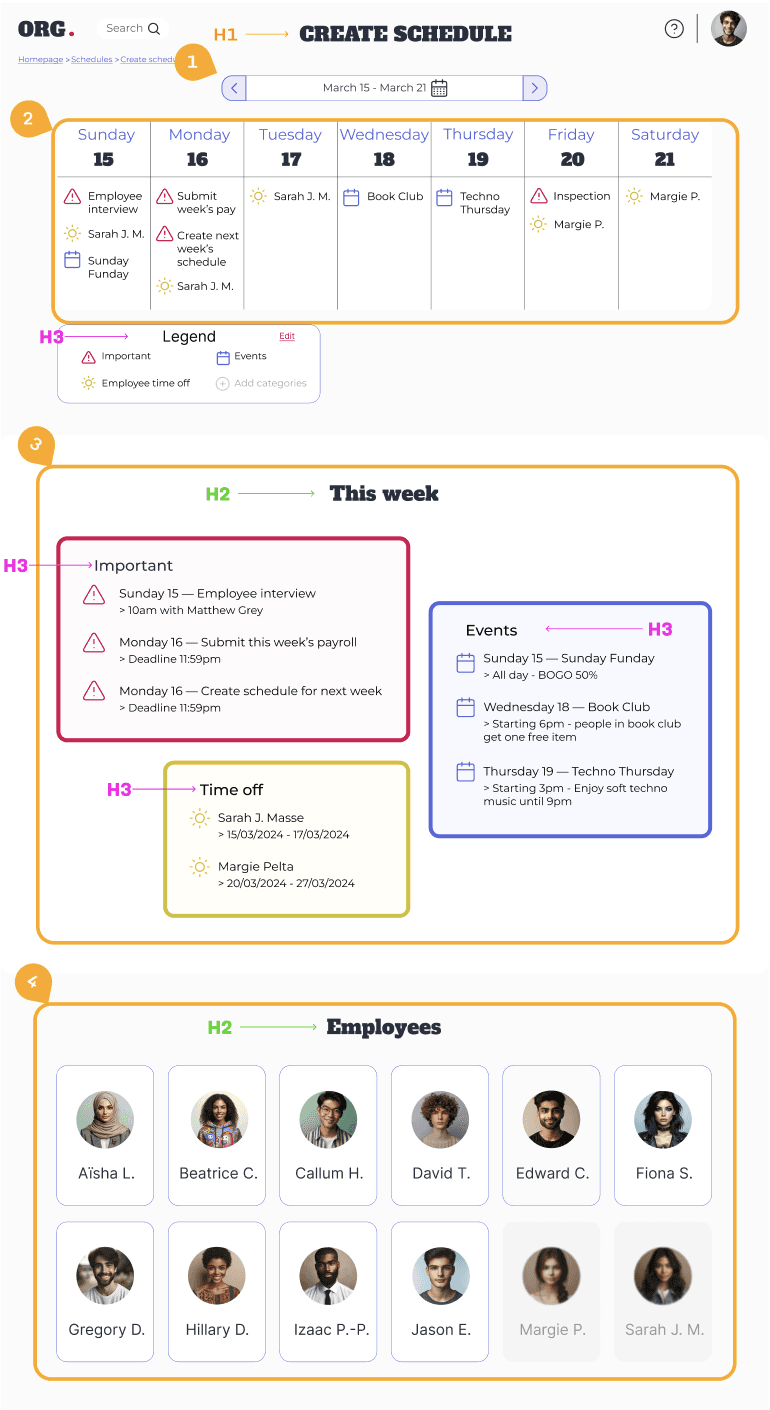
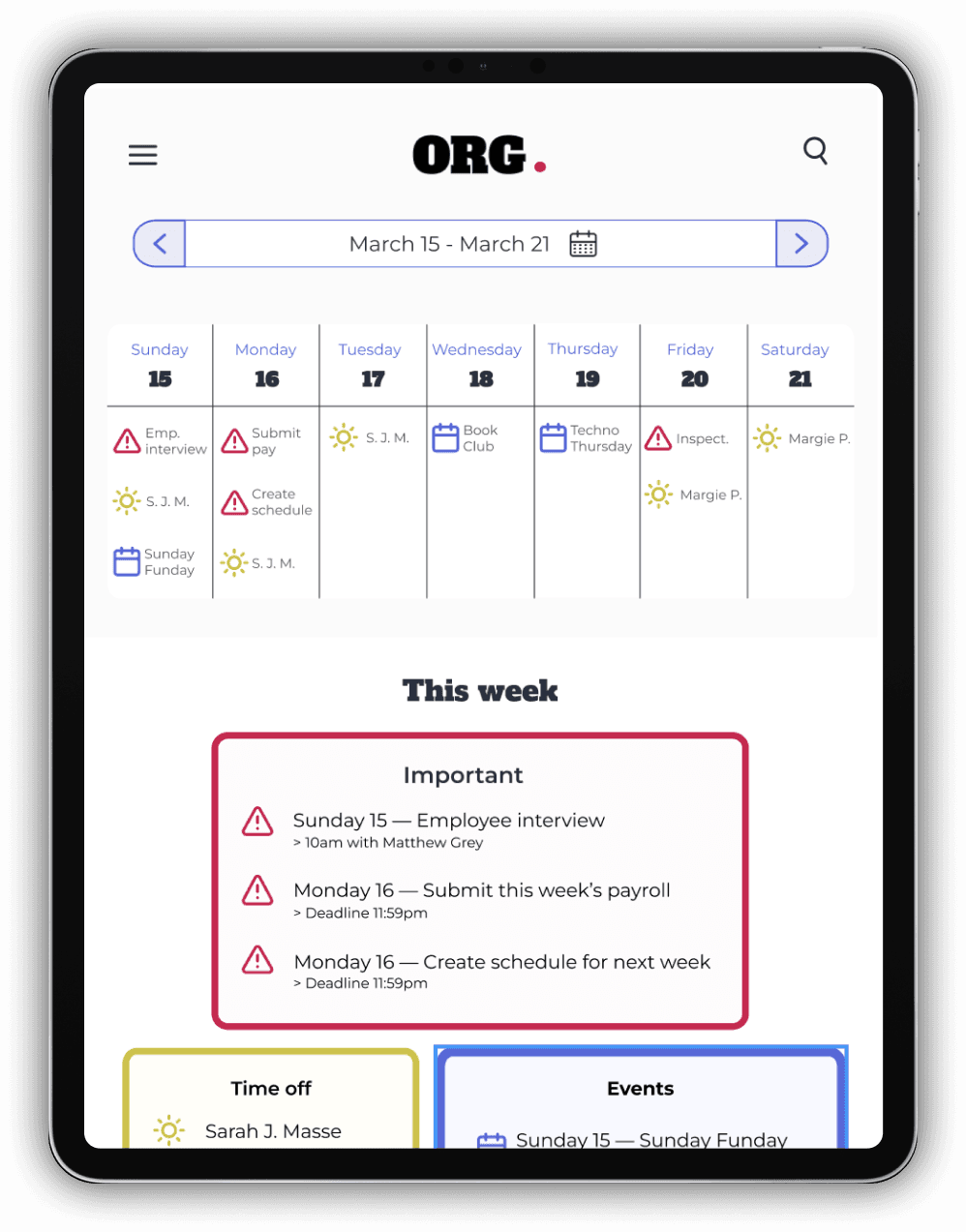
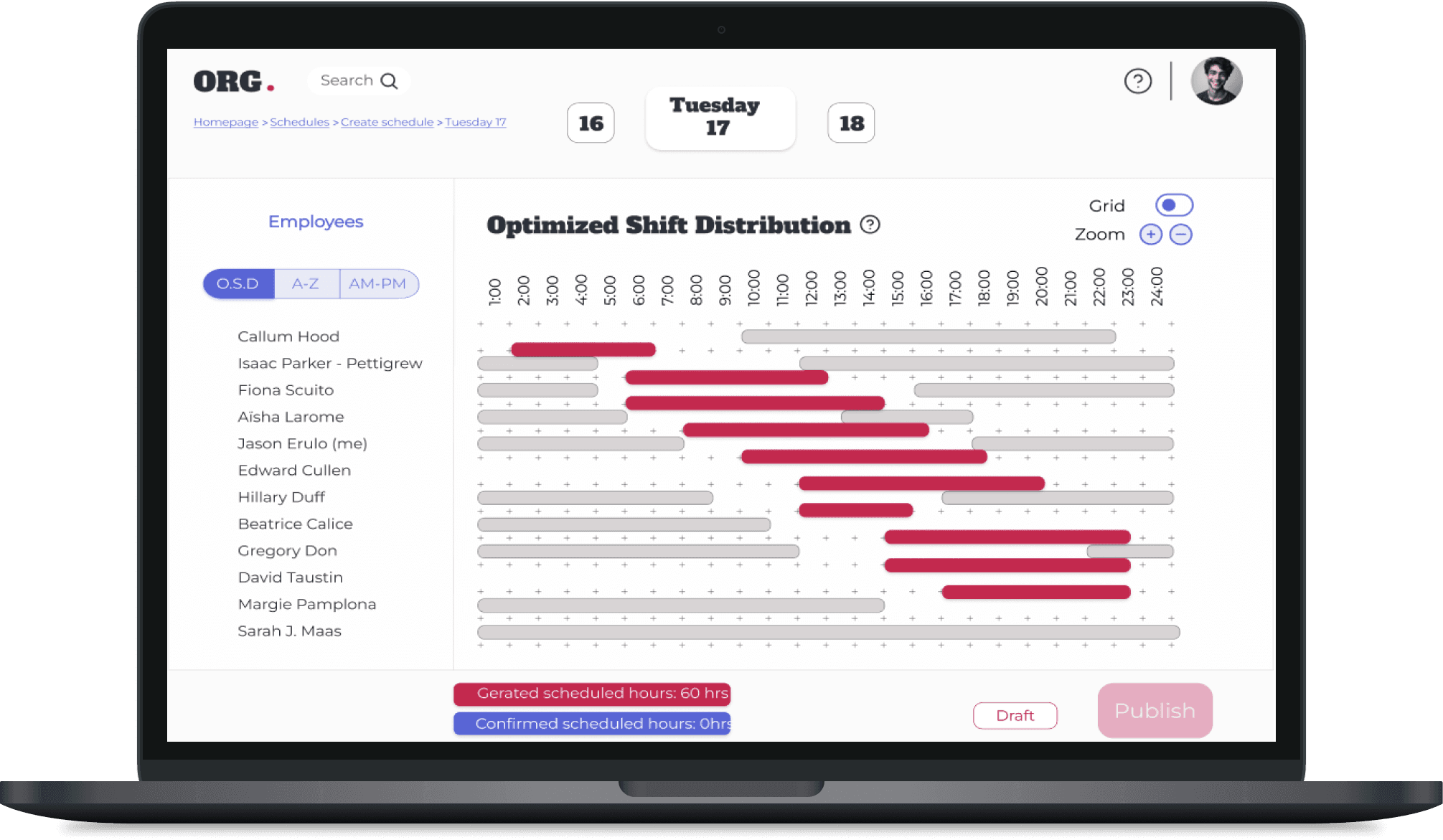
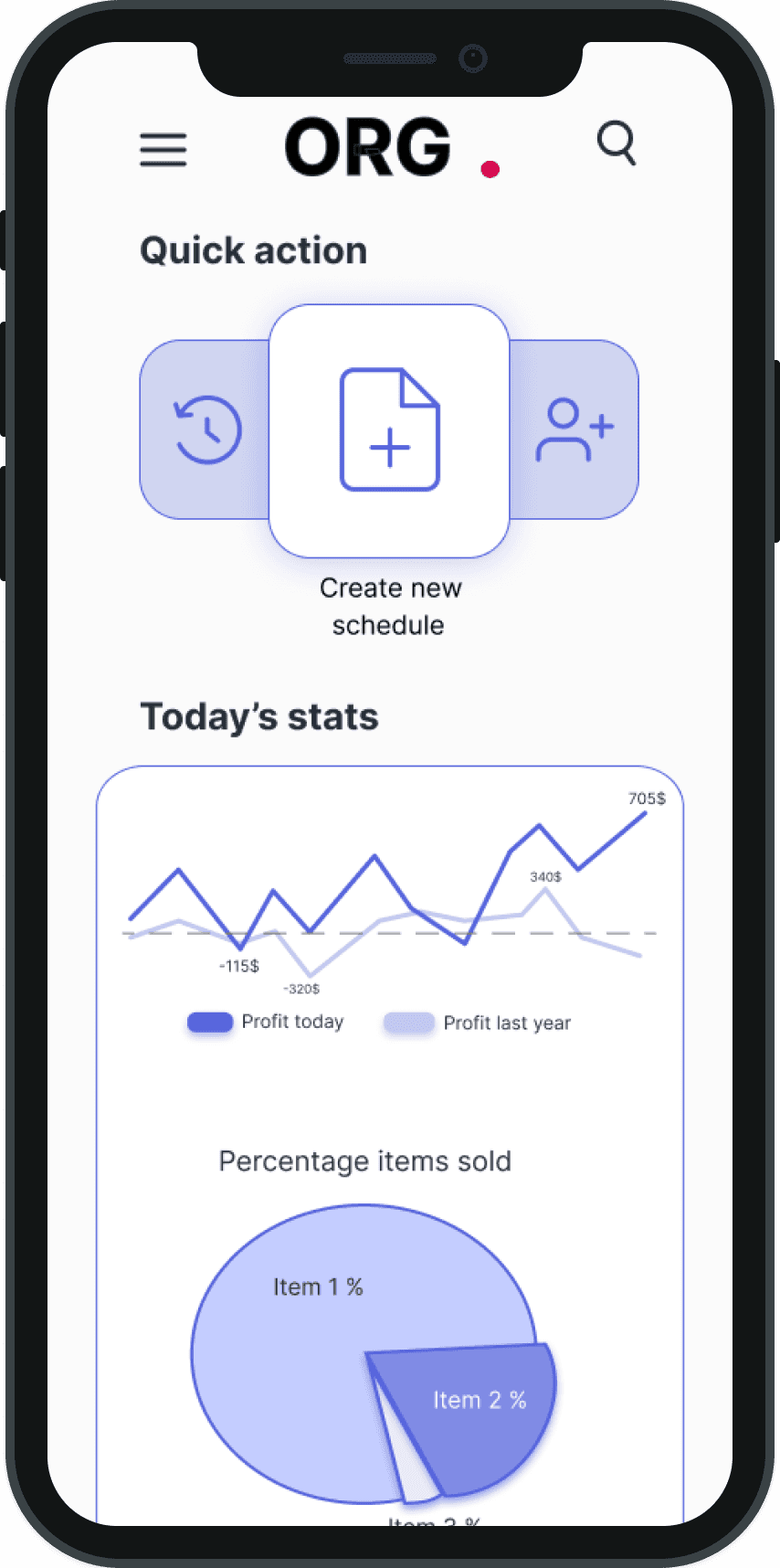
Based on usability testing insights, these mockups show a product that is both visually appealing and user-friendly.
Usability Study #2
High-fidelity Prototype
Going Forward
Takeaways
Impact : If ORG. was a real product, it could greatly assist small businesses with scheduling and organization, offering a foolproof, accessible, and enjoyable user experience.
What I Learned :
Usability testing is crucial for identifying improvements, even when a design seems effective. For example, a participant suggested manual time entry on mobile, which can be beneficial across all versions.
Challenges : The main challenge that I faced in this project is the internal conflict of always wanting to scratch the whole design and start anew every time I learned something new about designing. Especially when I started reading articles and guidelines on Material Design, I realized that the layout of the design isn’t optimal for a SaaS (Software as a Service), and looked more like a webpage. I tried re-doing some mockups to see how it could look and I realized that it does feel more like a tool and less like a website, but I didn’t have the time to start over the whole process. I ended up tweaking certain aspects of the design like the footer (which also resolved an issue found in the usability testing).
Nest Steps
UI Redesign : Update key elements like buttons, icons, and layout to align with common practices, enhancing both aesthetics and accessibility.
Dark Mode : Having the option to change the colour scheme to dark mode has become very common in today's designing experience. Who knows at what time of day your users will be using your service?
Expand the Design : This project only required the design of the main user flow of ORG. I would like to see what the complete product would look like.


Digital Wireframing
0
4/5
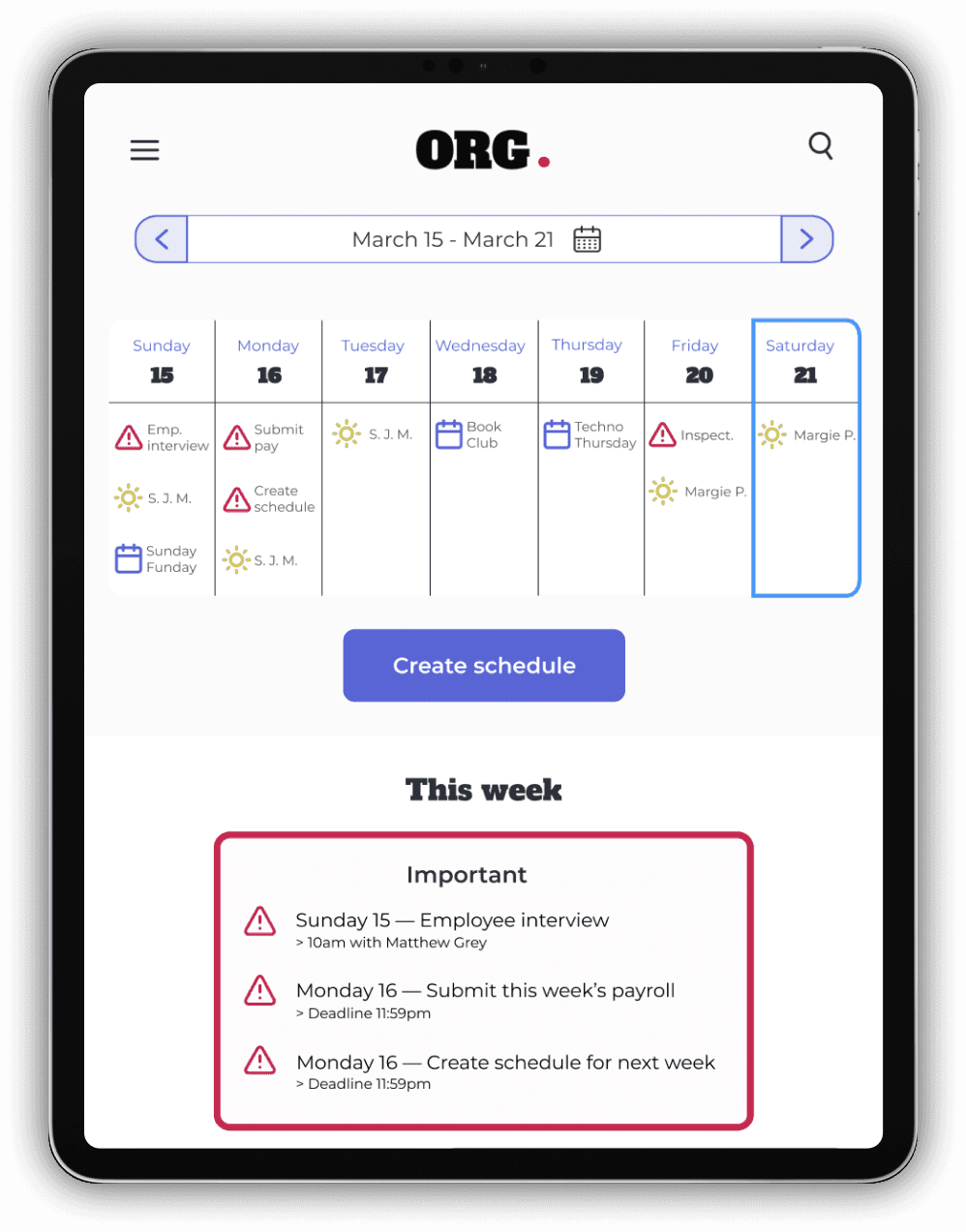
error rate on the task : "Create a schedule for Tuesday, March 17th." Many participants could not find the actual scheduling page.
participants used the menu bar or hamburger menu at the top of page.
"I feel like the menu bar just adds something to look at on the page, kind of makes [the page] busy. Maybe if it could pop down when I need it, or hidden somewhere else it would be better."
- Participant X
participants appreciated the customization of certain features; they found it useful.
75%
error rate (previously 75%) thanks to the addition of a clear "Create Schedule button.
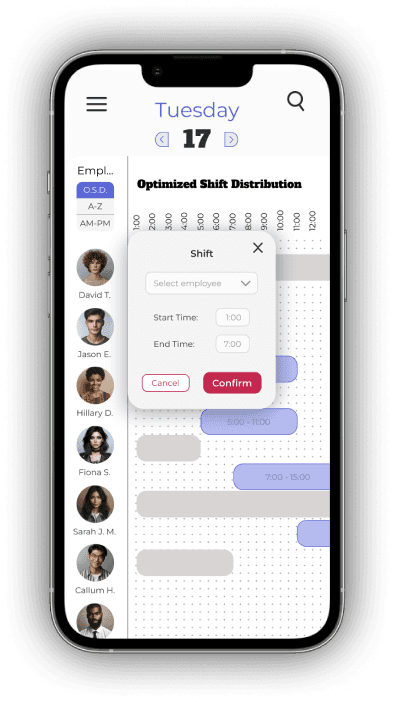
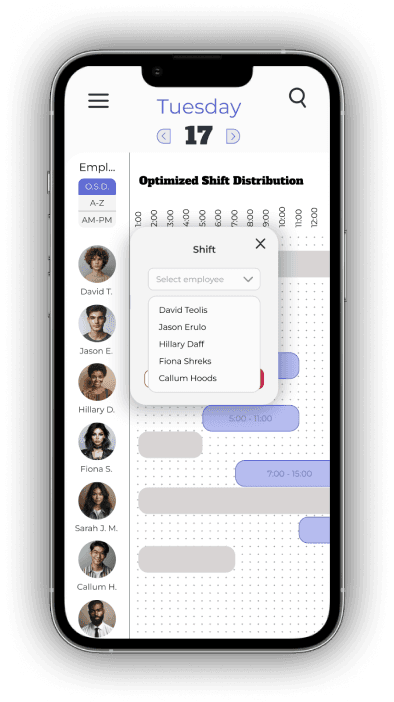
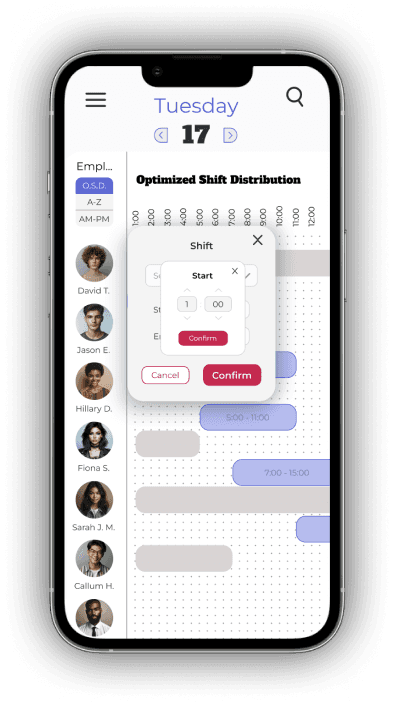

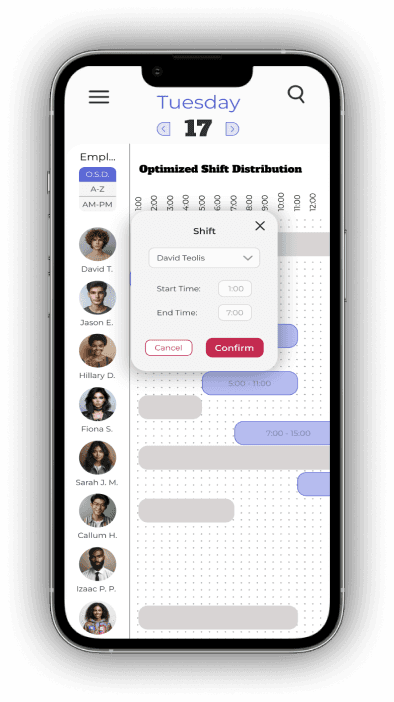

A user found it difficult to click and drag shifts on a mobile device, suggesting manual time entry as an alternative.
“I have big thumbs that cover a big part of the screen, so I have trouble seeing exactly where I need to stop the shift. In a perfect world, I could just click and enter the times manually.”
- Participant Z
Users can now select the desired employee and shift manually.
80%
of participants were confused by the intense red color on the OSD page, mistaking it for a completed schedule. Changing the color to a lighter shade of blue improved clarity.

The old menu bar is now found in the footer, accessible in every page.
A calmer colour tells users that an action is needed.
I annotated the mockups to specify how they should interact with screen readers and clearly indicated heading types. Although this is typically done when handing off designs to developers, it was a valuable exercise. The product will also be available in multiple languages to accommodate non-English-speaking users.
Additional accessibility features include zoom in/out buttons and icons for event categories, helping color-blind users differentiate events. Users can also customize colors to suit their preferences.
High-fidelity Prototype